Improve or redesign your website: how to decide
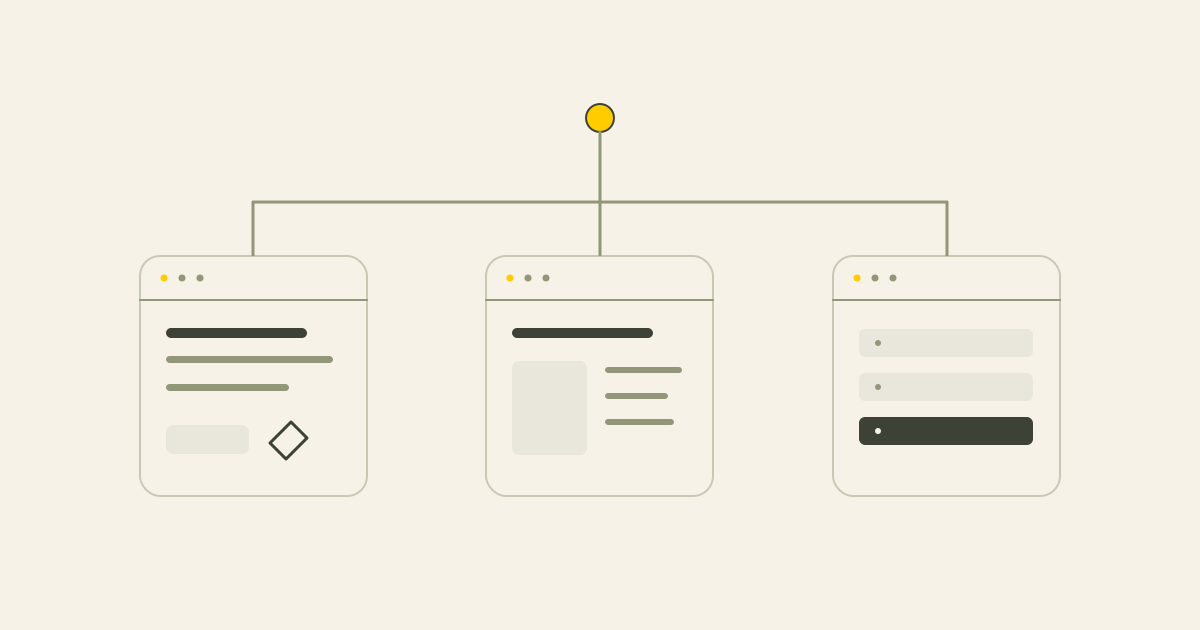
Choose the scale of work around the problem. Useful targeted changes, a clearer structure and a new technical build solve different needs.
In this article
Short answer
Improve a website when the foundation works and the problem is specific. Consider a redesign when the offer, content structure and contact journey no longer fit. A rebuild may be appropriate when the CMS, templates or technical setup repeatedly block useful changes.
Key points
- Identify the problem before choosing the largest solution.
- Appearance, structure and technical foundations call for different kinds of work.
- Repeated small repairs can become inefficient when the underlying setup remains the obstacle.
A website may still open and display its pages while no longer serving the business well. The answer is not always a full replacement. Look at where the problem sits and choose work that addresses it.
Want to understand which changes fit your website first? Request a free website review. I review design, structure, SEO foundations, mobile use, content management and the contact journey.
Request a free website review1. Start with the problem
Is the issue unclear service information, low relevant traffic, few enquiries, difficult editing, awkward mobile use or a changed offer? Those are different starting points.
Without a diagnosis, you may choose too much work or keep making small repairs that cannot solve the actual limitation. Read the enquiry guide if contact is the main concern.
2. Improvement, redesign and rebuild
An improvement changes specific parts of the existing site, such as text, links, metadata, images or contact controls.
A redesign reworks how the website explains the business through structure, content, presentation and the user journey. A rebuild replaces the technical setup, such as the CMS or templates. The work can overlap, but the terms should not hide the scope.
| Route | Typical changes | When it may fit |
|---|---|---|
| Improve | Specific existing pages or controls | The foundation works but details need attention |
| Redesign | Structure, content, design and contact journey | The overall explanation and route no longer work |
| Rebuild | CMS, templates and technical implementation | The technical foundation keeps limiting improvements |
3. When targeted improvements may be enough
If the site is reasonably fast, works on mobile, is manageable and contains the necessary pages, a focused set of changes may be the right first step.
Improve service explanations, calls to action, metadata, internal links and useful evidence. This may avoid a migration or new editing system when neither is needed.
4. When a redesign makes more sense
Consider the overall structure when the offer or audience has changed, important services are hidden and the homepage tries to explain everything at once.
Pages added over time can stop fitting together. If several changes are needed to create a coherent route, a website redesign may be more practical.
- The site describes the old business
- Services are hidden or overlap
- Navigation has become confusing
- Mobile use is difficult
- The next step is unclear
- SEO changes have accumulated without a useful page plan
5. When the technical foundation needs replacing
An old site is not automatically a bad site. A rebuild becomes worth considering when its CMS, builder, templates, performance or maintenance requirements repeatedly obstruct useful work.
Review whether the system supports the functions, editing and future content the business needs. A new technical foundation should solve a specific limitation.
6. A three-layer check
Separate what is visible from how the information is organised and the system underneath. This is a practical way to frame a discussion, not a formal diagnosis.
| Layer | Examples | Possible response |
|---|---|---|
| Presentation | Images, typography, colours and small text or button changes | Targeted improvements |
| Structure | Services, navigation, content order, links and contact journey | Redesign |
| Foundation | CMS, templates, performance, maintenance and editing limits | Technical rebuild |
7. Compare the ongoing cost of repairs
A focused fix can be efficient. Repeatedly repairing symptoms while the same foundation causes new problems may not be.
Review the accumulated work and expected future needs. The website-cost guide explains which scope differences affect a quote.
8. Review the route to an enquiry
A visual improvement alone may not make the offer clearer. Check the service information, evidence, next step, mobile contact options and form behaviour.
Use Search Console and appropriately configured analytics to understand the journey. Recorded clicks remain different from completed conversations or received enquiries.
9. When content is the main problem
If the technical setup works but the text is vague, start with clearer service information. Explain the offer, audience, process, expectations and questions customers ask.
Add useful evidence, headings and relevant links. Make the page more helpful rather than simply longer.
10. When structure is the main problem
Overlapping pages, scattered service information and articles with no useful next step suggest a structure review.
Decide which pages are needed and how people move from a question to the relevant offer. An SEO audit can help where the main cause is still unclear.
11. When technology is the main problem
If basic editing, mobile layout, useful page types, metadata or maintenance remain difficult, assess the system rather than just the page appearance.
Read the CMS guide to prepare a list of the editing tasks you need.
12. What each route means for SEO
An existing site can often improve through headings, metadata, content, internal links and technical fixes without a rebuild.
Redesigns and rebuilds need additional care for current URLs, content, canonical URLs, sitemaps and redirects. Review the SEO migration checklist before making those changes.
13. What it means for AI search visibility
You do not automatically need a separate kind of website for AI search. Useful service explanations, relevant answers, consistent business information and technical access are still the starting point.
Research into AI questions and sources can identify additional work. See AI search visibility for the scope and limitations.
14. Accessibility can involve small or structural changes
Review readable text, contrast, form labels, headings, keyboard use, visible focus and mobile interaction. Some issues can be fixed within the current site. Repeated template problems may justify a wider change.
W3C's WCAG overview explains the accessibility framework. The separate Dutch government resource linked below concerns Dutch rules. The legal requirements for a particular business need their own assessment.
15. An initial decision matrix
Use the matrix to structure a conversation. It does not replace an assessment of the current site.
| Situation | Possible route | Reason |
|---|---|---|
| Usable website but vague text | Improve | The content needs attention |
| Unclear contact controls | Improve | A focused journey problem |
| Changed offer and an unsuitable page structure | Redesign | The explanation needs reorganisation |
| Overlapping services and confusing navigation | Redesign | The issue spans the structure |
| CMS limitations and persistent performance problems | Assess a rebuild | The underlying setup may be limiting the work |
| Templates obstruct mobile use and editing | Assess a rebuild | The technical foundation may not fit |
| The cause is unclear | Initial review or appropriate audit | Diagnose before choosing the scope |
16. Signs that improvements are worth trying first
Look for a workable foundation and a defined problem.
- Usable mobile pages
- Reasonable loading behaviour
- Accessible content and SEO editing fields
- Presentation that still fits the business
- A sensible main page structure
- Existing pages for important services
- A clear idea of which pages should support enquiries
- No technical obstacle to the proposed changes
17. Signs that a redesign may fit
Look at how many parts of the explanation and journey need to change together.
- Outdated business information
- Changed services or customers
- A site expanded without a coherent plan
- A presentation that no longer represents the work
- An unclear contact route
- Buried services
- Many disconnected SEO patches
- Changes needed across several parts of the site
18. Signs that a rebuild deserves investigation
A rebuild is a larger decision. Identify the underlying limitation before committing to it.
- A restrictive or difficult CMS
- Persistent performance limits
- Templates unsuitable for the required pages
- Difficult SEO-field management
- Maintenance and update problems
- Mobile limitations that are hard to correct
- Difficulty adding needed content types
- A system that no longer supports the business plan
19. What my initial review covers
The free website review provides a first assessment and 3 to 5 practical improvements. It can help frame whether targeted work, a redesign or deeper investigation should come next.
I look at the presentation, structure, main pages, mobile use, speed, SEO basics, contact route and manageability. Existing useful pages and information are part of the starting point.
Conclusion
Choose targeted improvements for a sound website with specific problems. Consider redesign when the overall content and journey need to change, and a rebuild when technical limits are the main obstacle. You can request a review or discuss your plans directly. A review is not compulsory.
Common questions
When are improvements enough?
When the structure, technical setup and editing features work, and the problem can be addressed through specific changes.
When is redesign more suitable?
When the offer, overall structure, content, mobile journey or presentation no longer fit together.
When is a rebuild needed?
When the underlying CMS, templates or technical implementation repeatedly block necessary work.
Is redesign always better than small changes?
No. A focused improvement may be faster and less disruptive where the foundation is sound.
What is the difference between improving and redesigning?
Improvement adjusts defined parts. Redesign reworks how the information, design and journey fit together.
Can improvements help enquiries?
They may help where the issue is unclear services, evidence, contact controls or technical friction. Results also depend on the offer and relevant traffic.
Which route costs more?
A focused fix is usually a smaller project. Repeated repairs can become inefficient, so compare the complete scope and future needs.
What happens to SEO during redesign?
Useful content, URLs, metadata, links and redirects need a plan and checks before and after launch.
How can I find the main issue?
Compare the presentation, structure and technical foundation, using the actual website and available measurements.
Must I request a review first?
No. It is an optional starting point if you are unsure. You can discuss a defined project directly.
Sources
This article uses the following external sources.
Author
Timothy Hartog, SEO specialist and web designer at Hartog Growth.